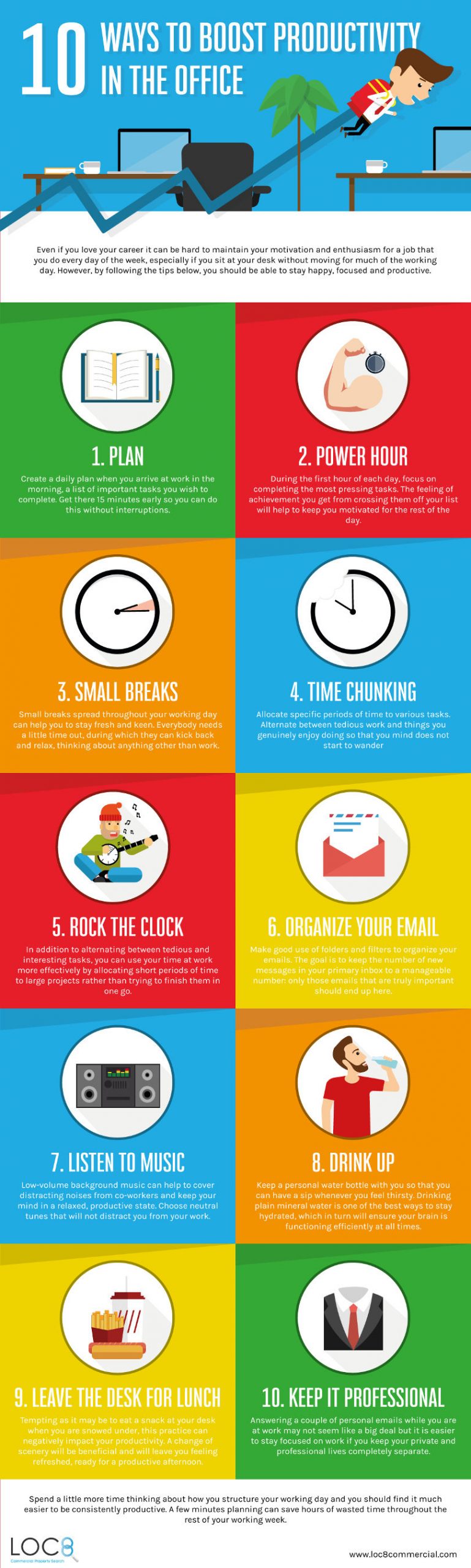
Essential Productivity Tools for Enhanced Efficiency
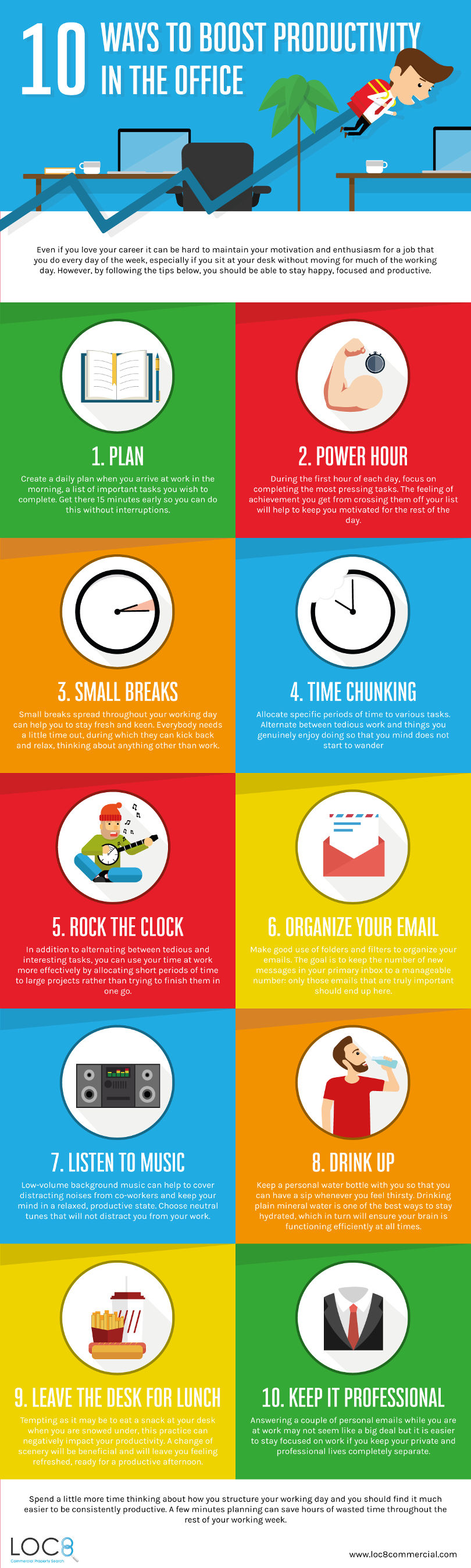
Task Management and Collaboration:

- Asana: Cloud-based platform for task management, team collaboration, and project tracking.
- Trello: Visual and intuitive task board that enables teams to organize and prioritize work.
- Slack: Instant messaging and file-sharing tool that facilitates real-time collaboration.
Time Tracking and Scheduling:

- Toggl: Automated time tracker that records how users spend their time on tasks.
- RescueTime: Tracks time spent on apps and websites, providing insights into productivity.
- Google Calendar: Cloud-based calendar that allows for scheduling appointments, events, and reminders.
Note-taking and Knowledge Management:
- Evernote: Digital notebook for capturing notes, organizing ideas, and storing attachments.
- Notion: All-in-one workspace for notes, databases, projects, and collaboration.
- Bear: Minimalist note-taking app with focus modes, tagging, and collaboration.
Automation and Workflow Optimization:
- Zapier: Connects different apps and services to automate repetitive tasks.
- Automate.io: Similar to Zapier, but with a wider range of integrations and customizable automations.
- IFTTT: Free platform for creating “recipes” that connect apps and trigger actions based on specific conditions.
Productivity Enhancement:
- Forest: Mobile app that encourages focused work by planting virtual trees when users stay on task.
- Freedom: Website and app blocker that distracts users from time-wasting activities.
- Headspace: Meditation and mindfulness app that helps reduce stress and improve focus.
Additional Tips for Boosting Productivity:
- Set clear goals and priorities: Identify the most important tasks and allocate time accordingly.
- Focus on one task at a time: Avoid multitasking and stay focused on completing tasks before moving on to the next one.
- Take breaks: Short breaks can help restore focus and prevent burnout.
- Delegate and ask for help: Don’t be afraid to delegate tasks or ask for assistance when needed.
- Use technology wisely: Leverage productivity tools to streamline workflows and maximize efficiency.## [The Top Productivity Tools You Need To Boost Your Efficiency]
Executive Summary
In today’s fast-paced business environment, productivity has become paramount to success. To stay ahead in this competitive landscape, businesses need to leverage effective productivity tools that can streamline workflows, enhance collaboration, and maximize output. This article explores the top productivity tools that can help you boost your efficiency, allowing you to work smarter, not harder.
Introduction
Productivity is the key to unlocking efficiency and maximizing results. By incorporating the right productivity tools into your workflow, you can streamline tasks, optimize time management, and enhance collaboration, leading to increased productivity and a competitive edge.
FAQ
1. What are the benefits of using productivity tools?
- Streamlined workflows
- Enhanced collaboration
- Improved time management
- Reduced errors
- Increased efficiency
2. How do I choose the right productivity tools for my needs?
Consider your specific requirements, team size, industry, and budget. Research different tools, read reviews, and explore free trials to find the best fit.
3. How do I implement productivity tools effectively?
- Set clear goals
- Integrate tools seamlessly into workflows
- Train your team thoroughly
- Track usage and make adjustments as needed
Top Productivity Tools
Task Management
- Asana: A comprehensive task management platform for collaborative project planning, tracking, and communication.
- Trello: A visual task management tool that uses boards and cards to organize and prioritize tasks.
- Todoist: A user-friendly task manager with a focus on simplicity and efficiency.
- ClickUp: An all-inclusive workspace that combines task management, project tracking, and team collaboration.
- Notion: A flexible and customizable tool for note-taking, task management, and collaboration.
Time Management
- Toggl Track: An automatic time tracker that records time spent on tasks, projects, and clients.
- RescueTime: A time management tool that analyzes how time is spent and provides insights for optimization.
- Pomodoro Technique: A time management method that alternates focused work sessions with short breaks.
- Doodle: A scheduling tool that simplifies meeting coordination by finding the best time for all participants.
- Calendar: An essential tool for scheduling appointments, meetings, and reminders.
Collaboration
- Slack: A popular instant messaging and collaboration platform for teams.
- Microsoft Teams: A comprehensive collaboration suite that includes chat, video conferencing, document sharing, and file storage.
- Zoom: A reliable and feature-rich video conferencing tool for virtual meetings and webinars.
- Google Meet: A user-friendly video conferencing tool integrated with the Google Workspace suite.
- Webex: A cloud-based collaboration platform that offers video conferencing, messaging, and screen sharing.
Communication
- Grammarly: A writing tool that checks grammar, spelling, and style in real-time.
- Hemingway Editor: A writing tool that helps improve clarity and brevity.
- Spark Mail: An email client that combines simplicity with advanced features like smart inbox and quick replies.
- MailChimp: An email marketing platform for creating and sending newsletters, campaigns, and automations.
- WhatsApp: A mobile messaging app that supports text, voice, and video communication.
Automation
- Zapier: An automation platform that connects different apps and automates workflows.
- IFTTT: A simple automation tool that allows you to create “recipes” to automate tasks.
- HubSpot: A marketing, sales, and customer service platform that offers automation features for various processes.
- Airtable: A spreadsheet-database hybrid that enables workflow automation.
- Integromat: An integration platform that allows you to connect apps, automate workflows, and transfer data.
Conclusion
Leveraging the right productivity tools can significantly boost your efficiency and productivity. By streamlining workflows, enhancing collaboration, and optimizing time management, you can maximize output, achieve goals, and gain a competitive advantage. Continuously explore new tools and strategies to stay ahead in the ever-evolving world of productivity enhancement.
Relevant Keywords
- Productivity tools
- Task management
- Time management
- Collaboration
- Automation